
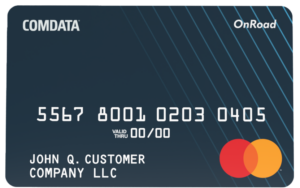
OnRoad® Card Help
for Comdata App Users
About
The Comdata OnRoad® card is a universally accepted Mastercard® in the U.S. that allows access to company funds and driver payments from a single card. The OnRoad® Card operates on the MasterCard Signature Debit network, meaning you can use it like a credit card: swipe, sign your name, and continue with your day.
Moreover, all MasterCard Signature Debit transactions are free of fees, so there’s no need to worry about losing money on your purchases. Just look for the MasterCard logo at checkout. Also, you can still use OnRoad® for company-related expenses, such as fuel and maintenance, based on your company’s policies. With OnRoad®, you have full control over your money and can use your funds as you see fit.
There are many benefits to you for using OnRoad®, such as:
- No need to carry cash, which is secure and a great option if you don’t have a bank account.
- Acceptance at 160,000+ MasterCard locations nationwide, so there is no need to worry about transaction declines.
- Ability to use personal funds as you see fit, such as buying groceries, paying bills, and even purchasing big-ticket items like airline tickets and travel tours.
Your company’s card program administrator will order your OnRoad® card. Depending on your admin’s preference, they may distribute the card to you or send it directly to your home address.
Use your OnRoad® Card anywhere MasterCard Signature Debit is accepted in the U.S., just look for the MasterCard logo at checkout. In addition, the OnRoad® Card is accepted on the Comdata Proprietary network, meaning you can conduct company purchases, such as fuel and maintenance, while still managing your personal funds. Furthermore, when you first receive your card, you must set up a PIN that will allow you to access your funds from any ATM in the Cirrus or Allpoint network.
The OnRoad® Card can be used just like cash, meaning you can purchase anything from office supplies, groceries, hotels, airline tickets, haircuts, and movie streaming services.
No, the OnRoad® Card runs like a credit card and requires no PIN at the point of sale, so cashback is not available. However, you can access cash at an ATM (Cirrus or Allpoint networks only) or any bank teller free of charge. Select Checking for Express Cash Funds. Select Savings for Cash on Card funds.
Self-CIP
Bank sponsors have long required sensitive personal information for programs involving financial transactions as part of the Office of Foreign Assets Control (OFAC)’s Know Your Customer regulations. Anyone conducting financial transactions with financial institutions must provide this private information in order to do business with them.
Cardholders find out instantaneously in the COMDATA® app if they’ve been approved or have failed CIP. If a Cardholder is signing up as a business, their application may need to be reviewed by the compliance team. If so, they’ll see a pending status in the COMDATA® app. Pending reviews may take a maximum of 7 business days to complete.
Once the process is successful, the card will appear in the wallet in the COMDATA® app, and you can start using the app with full available functionality.
The CIP record is tied to your COMDATA® app account, not the card. If you receive a new card for any reason (i.e., a replacement card or moving jobs), there is no need to pass CIP again. The new card can be added to your existing COMDATA® account, and the CIP record will be loaded onto the new card.
Note: If you delete your COMDATA® account, you must reapply for CIP.
Alerts & Notifications
Protecting our cardholders’ security is a top priority. By protecting that security, we are helping you and your company avoid the risks of identity theft and fraud, which can cost you money. In addition, we aim to keep you and your cardholders informed on card declines that are not fraud-related.
Your company’s Mastercard Administrator will sign up your company for the program, and then you will receive an enrollment email. Follow the instructions in the email to confirm your participation. Once enrolled, you will receive text message alerts each time our risk management system identifies a suspicious transaction on your Mastercard. Then, you can reply to the message and mark it as fraudulent or legitimate.
If you identify a transaction as fraudulent, each additional transaction will be declined. However, you will receive a text message with each declined transaction, allowing you to override the declined authorization. If you override, you can swipe your card again and continue the transaction as normal, only if the transaction is for the same amount and from the same merchant. If you receive a declined transaction you don’t recognize, there is no need to respond, as the transaction was not authorized.
This is very beneficial, as you can continue using your card even if the card number is compromised.
Standard data and text rates will apply. However, cardholders only receive text messages if suspicious activity is identified on their card, fraud is confirmed, or a transaction is declined.
We strongly encourage you to remain enrolled in the program to protect yourself and your company from credit card fraud. However, if you wish to unsubscribe, reply STOP to any text message you receive from the program.
Functionality outside of the United States depends on your mobile phone carrier and your type of device. Alerts and Notifications will function outside the U.S. in most cases, but this is not always guaranteed.
For questions about your enrollment, contact your company’s card Administrator. Call the 1-800 number on the back for other questions about using your card.
For assistance with your account, please contact our Cardholder Services team at either of the numbers below:
- For Comdata OnRoad® cardholders, call 1-866-288-9990 and follow the voice prompts.
- For Comchek cardholders, call 1-800-741-3939 and follow the voice prompts.
You will need your card number when calling.
Contact Cardholder Services at the 1-800 number on the back of your card, and our service team can help you initiate the dispute process.
Your Fleet Administrator has approved you to add your Comdata card with the number shown in the e-mail to a new or existing Comdata mobile app account.
Upon discovering that your Comdata OnRoad Card is missing or damaged, contact Cardholder Services at 1-800-741-3939 to block your card and order a replacement.
One of the major advantages of the Comdata OnRoad® and Comchek cards is that you can make purchases anywhere Mastercard® and Maestro® cards are accepted (both in-store and online) in the U.S. Your card works much like the debit card that is connected to your bank account – you can only make purchases that are less than or equal to the available balance on your card. The available balance on your card is always visible on the home screen of your mobile app.
For more information on using your Comdata OnRoad® Card, call the toll-free 1-800 number on your card.
Yes. Your card can be used to withdraw funds at over 1 million ATMs worldwide that are branded with the Cirrus® or Maestro® brands
- Select your Card.
- Tap Transfer Funds.
- Select Create Comchek.
- Enter the Comchek draft number.
- Re-enter the draft number to confirm.
- Enter the amount.
- Select Review & Confirm.
- Review the information and submit the transfer.
- Select the card you want to move funds from.
- Tap Transfer Funds.
- Select Card to Card.
- Select the card to transfer funds to.
- Enter the transfer amount.
- Select Review & Confirm.
- Review the information and submit the transfer.
- Select your card.
- Tap Transfer Funds.
- Select Express Code.
- Enter the Express Code number.
- (Optional) Select View Balance.
- Select Review & Confirm.
- Confirm the transfer to your card.
- Select your card.
- Tap Transfer Funds.
- Select Another Driver (Peer-to-Peer).
- Enter the recipient’s email address.
- Enter the transfer amount.
- Add an optional message.
- Select Review & Confirm.
- Verify the details and submit the transfer.
Important: Peer-to-peer transfers cannot be reversed once submitted.
Update your card PIN directly within the app.
Steps
- Select your OnRoad Card.
- Tap Card Settings.
- Select Set New PIN.
- Enter your:
- SSN or EIN
- Card expiration date
- Security code (3-digit code on the back of your card)
- Enter your new 4-digit PIN.
- Re-enter the PIN to confirm.
- Tap Set New PIN.
Add a bank account to transfer funds from your card to your bank account.
Steps
- Select your Card.
- Tap Card Settings.
- Select Add Bank Account.
- Enter your bank account number.
- Re-enter the account number to confirm.
- Enter your bank routing number.
- Select your account type.
- Check the box confirming you are the account owner or an authorized user.
- Tap Add Bank Account.
Note: It may take up to 3 business days for your bank account to be verified before transferring to this bank account is available.
- Select Transfer Funds.
- Select Express Code.
- Enter the Express Code number.
- Select View Balance to see the available balance before transferring funds.
Your available balance is displayed on your card dashboard.
Steps
- Select your Card.
- View your available balance on the card dashboard.
You’ve received a Comdata fleet card that allows you to make purchases and gives you access to your personal funds (debit card or “ExpressCash” or “eCash”). You’ll need to accept the fee schedule to use this card for your personal funds. The steps below will guide you through the consent and activation process.
1. Navigate to www.comdata.com/activate. This link can also be found on the sticker and the activation email.
2. Enter your employee ID and the card number, then click Submit. Note: If the card name is OnRoad-Comchek Mobil, the employee ID is your Driven account username.
3. Review the fee schedule and click Yes for every radio button beside each item. Once all radio buttons are Yes, click Submit.
Congratulations! You have completed the fee consent process, and your card is now activated. You may click the download button to save a copy of the fee consent page.
Thank you for completing the activation process. We hope you enjoy all the benefits of your new Comdata or OnRoad® fleet card. Call our 24/7 customer support at 1-866-288-9990 if you have questions.
1. Locate Comdata in the Apple or Google app store and install it.
2. Launch the app and tap Register on the login screen.
3. Choose the appropriate user type:
- Fleet Owner (Account Administrator who has NOT self-registered on Driven Web)
- Driver (Cardholder or Driver)
- Guest (For users exploring or inquiring about an account)
4. Fill out the registration form with your first name, last name, mobile phone number, and email address. Enter your Password and confirm your password, and then check the box to agree to the Terms and tap Submit.
5. If you selected Fleet Owner, you must also provide the ZIP/Postal Code (linked to billing address) and Account Number.
6. Verify Your Contact Information
- A verification code will be sent to your mobile phone via text message.
- Enter the code in the app to verify your phone number.
- A second verification code will be sent to your email address.
- Enter the email code in the app to complete verification.
Other Resources
Privacy Policy
Cardholder Terms and Conditions
- End User License Agreement
- To obtain a copy of your Cardholder Agreement and/or Fee Schedule, contact our Cardholder Services team by calling the number on the back of your card and requesting to speak with an agent.
The Comdata® OnRoad Card is issued by Regions Bank, Member FDIC, pursuant to a license by Mastercard® International Incorporated. The Comdata® Mastercard is issued by Fifth Third Bank, National Association, Member FDIC, or Regions Bank, Member FDIC, pursuant to license by Mastercard® International Incorporated. Mastercard® and the circles design are registered trademarks of Mastercard® International Incorporated. If your Mastercard product is not listed here, please refer to the back of your card for the financial institution that issued your card pursuant to a license by Mastercard® International Incorporated.